Our proxy generator supports the full range of proxy products. With its intuitive interface, you can complete all configurations without any technical background.
I. User Guide
1. Create an Account
- Before using the proxy generator, you must have an account. If you haven't registered yet, please complete this step first. Click to jump to the registration page.
2. Access the Generation Page
- After logging in, select “Get Proxies” under [Dynamic Residential] and click to jump to the corresponding page.
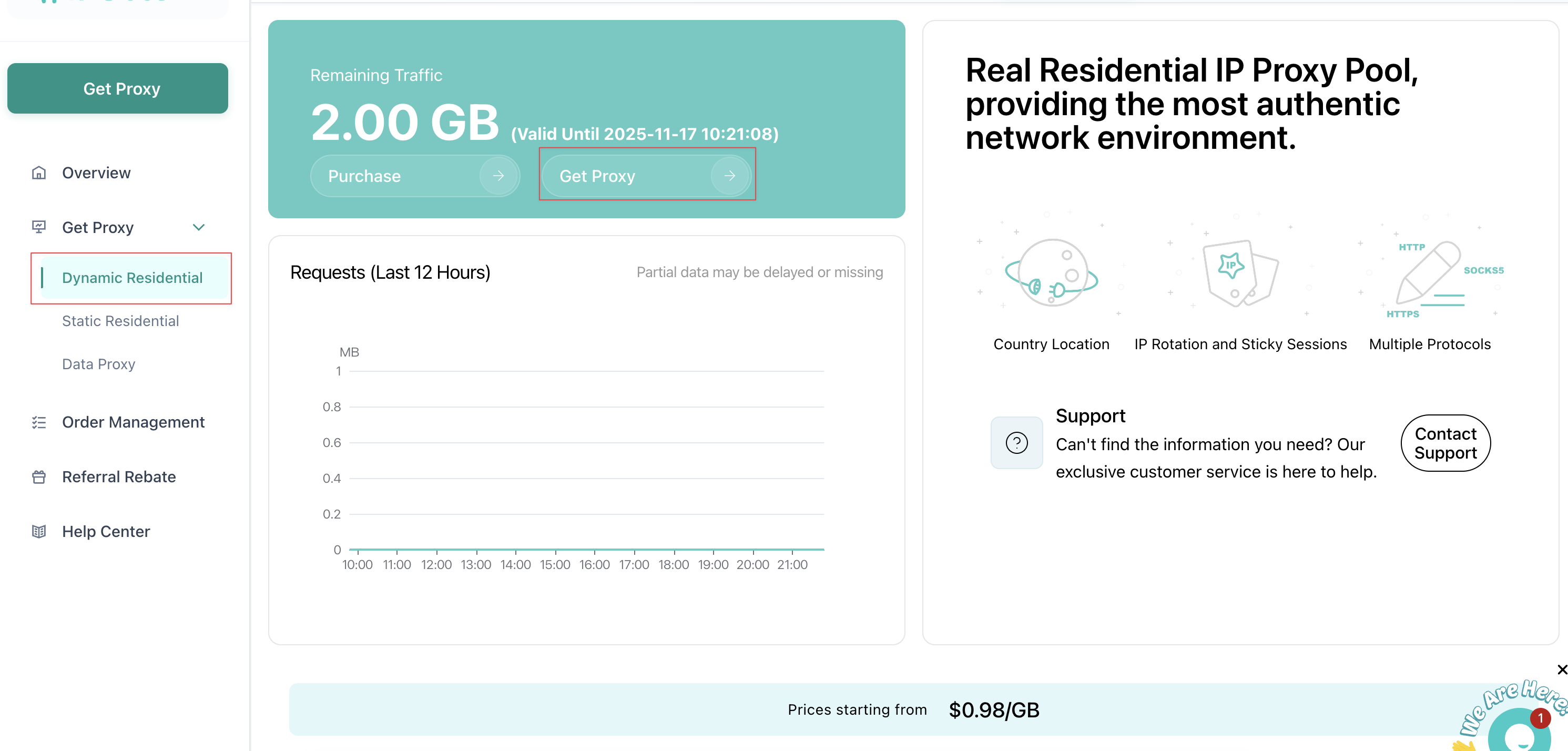 3. Configuration Generation -> Copy
- Select and configure options on the page according to your needs to automatically generate proxy information.
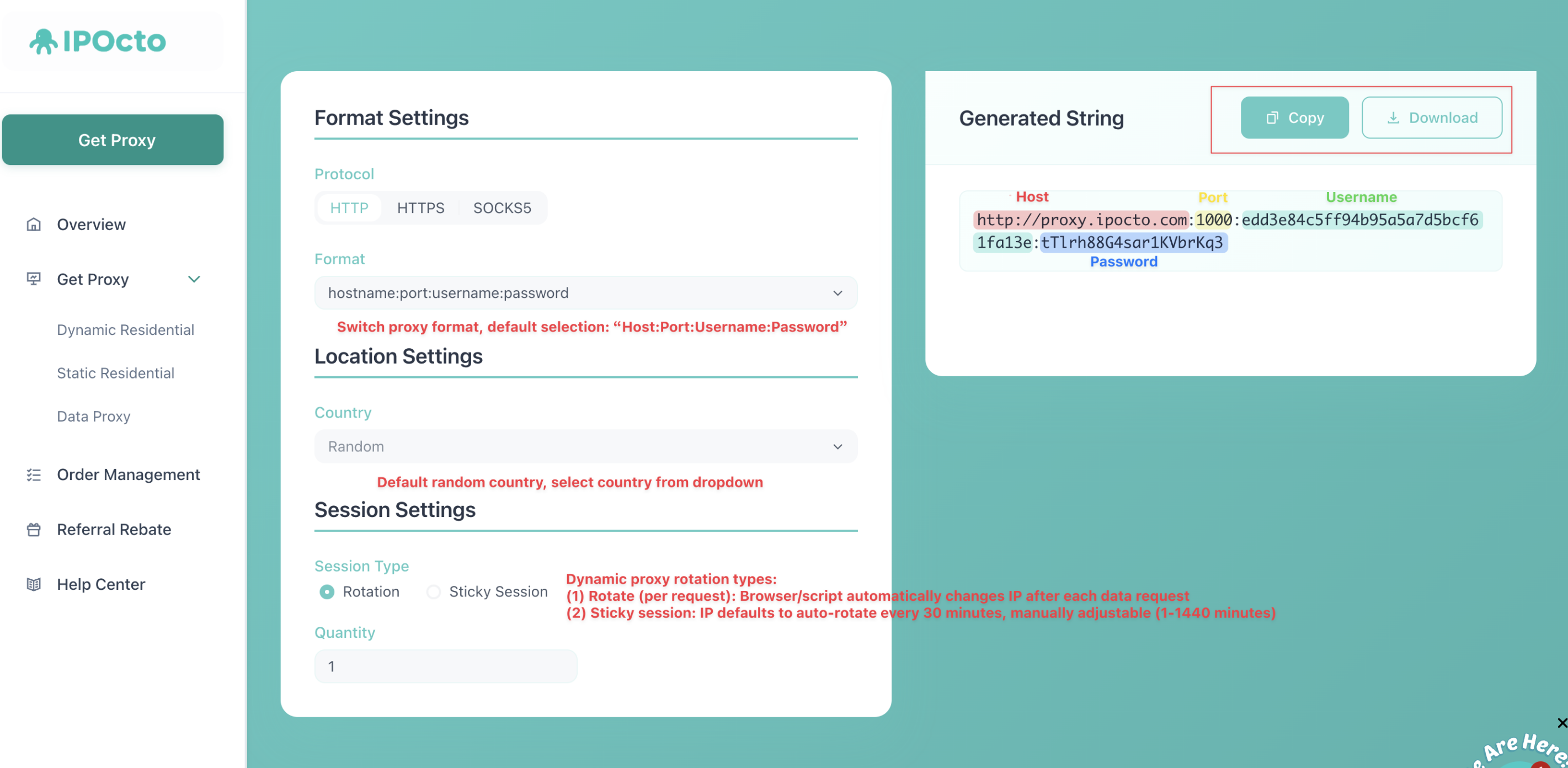
II. Configuration Recommendations
1. Endpoint and Port Information
To connect to the proxy system using a residential proxy, you must configure the following endpoint and port settings:
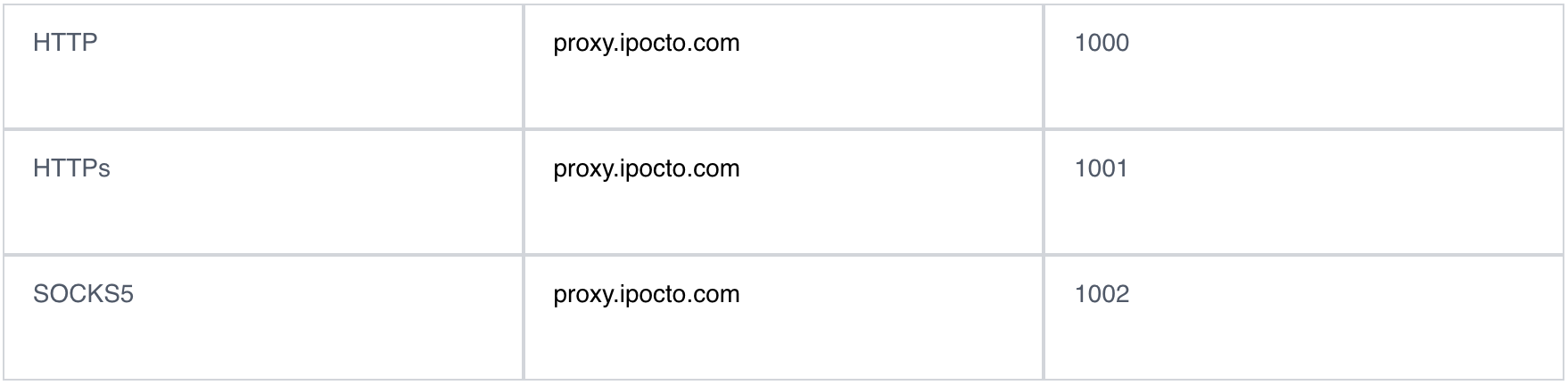 ✨Tips: Port Selection Recommendations
- The difference between HTTP and HTTPS proxies lies in encryption: HTTPS proxies are encrypted, while HTTP proxies are not. SOCKS5 proxies represent a more advanced protocol capable of handling a wider range of traffic types.
- The HTTP protocol is suitable for HTTPS requests—you don't need to use the HTTPS protocol for HTTPS requests. The HTTPS protocol is only necessary when connecting to secure HTTPS servers, and it typically operates slower than the HTTP protocol.
